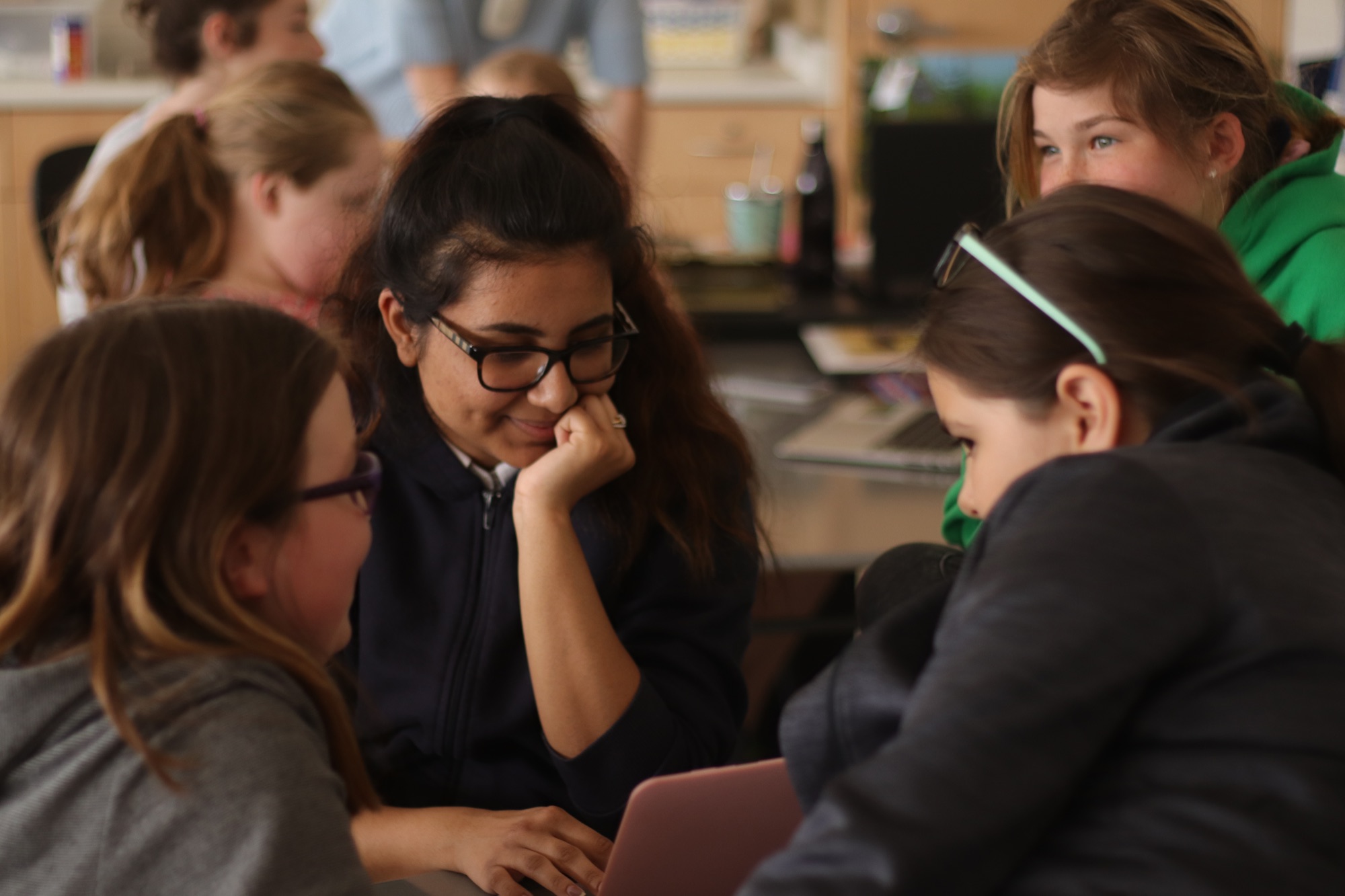
To collect feedback, an LCS student shares a software prototype with Grade 4 students at Lakefield District Public School.
Computer science is all about building software to help others.
What this course is
ICS3U is Grade 11 Introduction to Computer Science. You will write software in Swift and SwiftUI, using Xcode on a Mac. Most of what you build this year is games, and some of it is apps.
You do not need to have written code before.
From the Ontario Ministry of Education
This course introduces students to computer science. Students will design software independently and as part of a team, using industry-standard programming tools and applying the software development life-cycle model. They will also write and use subprograms within computer programs. Students will develop creative solutions for various types of problems as their understanding of the computing environment grows. They will also explore environmental and ergonomic issues, emerging research in computer science, and global career trends in computer-related fields.
How you will learn
In this class you will learn by making. Writing software to help others is a creative process, so please think of yourself as an artist. Explanations are short, and most of your time is spent doing.
- Every class opens at the whiteboards, except on test days. You stand with one or two classmates and work on a quick puzzle or question together. Sometimes it is about code and sometimes it is not. Sometimes it is a question in the style of the AP exam.
- You try things before they are named. You meet an idea by using it. We put a name to it afterward.
- You start from a working game and change it. Early in the year you get a game that already runs, and you make it yours. Later in the year you write a game from an empty project.
- You work with others, and you hand in your own work. You reason in pairs at the whiteboards. Sometimes you share one laptop with a partner, where one of you types and the other guides. You playtest each other’s games. Work you hand in for a mark is always your own.
- You revise. By speaking with others, incorporating their feedback, and revising, you will improve the quality of your solutions. Process matters just as much as the product.
You keep your projects on GitHub. You copy a project, commit your changes, and push them. You always work in your own copy.
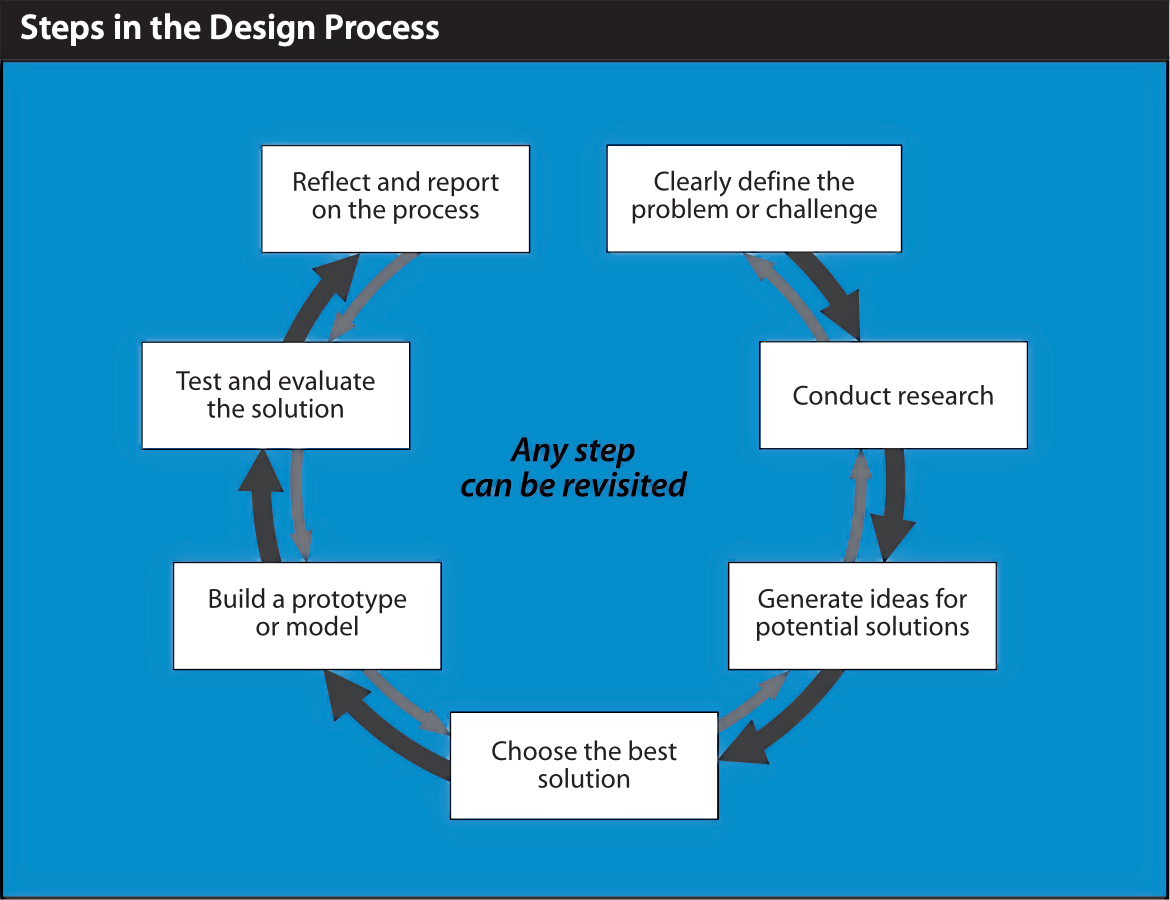
The design process
When you plan something of your own, above all in Thread 4 and in your culminating task, these steps guide the work. Any step can be revisited.
The year
Rather than units on discrete topics, learning is organized into time-based threads tied to our reporting cycles at LCS. There are five.
| Thread | When | What you do and make |
|---|---|---|
| 1. Play, change, make | October | Play games of chance and guessing, then change them. Meet variables, decisions, randomness, functions, and your first screens in SwiftUI. Make a game your own, then run it on your Mac and playtest it with classmates. |
| 2. The showpiece | End of November to mid-December | Lists and loops, through card, board and word games. Make one richer game your own: Memory Match, a word game, or Tic-Tac-Toe. The thread ends with an arcade day, where you play every game in the room. |
| 3. Build from blank | February and March | Write a game from an empty project. Nested decisions, AP pseudocode, algorithms on lists, binary numbers, more than one screen, and testing. Begin to study the impact of computing on people. |
| 4. Data and design | April and May | Databases: selecting, filtering and sorting data, joining tables, totals and averages, and ER diagrams. Working together, purpose and audience, and paper prototypes. More on the impact of computing, including AI and the environment. Plan your culminating task and begin it. |
| 5. Finish and show | June | Finish your culminating task, playtest it, and show it. Review, then write the final exam. |
Two lanes
Every evaluation in this course is in one of two lanes. Each task page tells you which.
| Lane 1 | Lane 2 | |
|---|---|---|
| AI | None | Welcome and expected. Give credit in your README. |
| Where | In class | In class or at home |
| What it looks like | Paper tests, one in-class build on the computer, the final exam | Games you extend or build, a design proposal, your culminating task |
| What it shows | What you can do on your own | What you can make with every tool available |
Threads 1 to 4 each have at least one evaluation in each lane.
When you use AI
In Lane 2 work, you can use AI tools as thought partners: for brainstorming, examples and feedback, and to refine your code. Two rules apply.
- Give credit. Your project’s README ends with a short Credits section. Name any AI tool you used, and any code, images or sounds that came from somewhere else.
- Understand it. You must be able to explain any code you hand in, without AI beside you.
Lane 1 work shows what you understand on your own, so no AI is used there.
How your mark is decided
| Part | Weight |
|---|---|
| Term work | 65% |
| Participation and attendance | 10% |
| Culminating task | 15% |
| Final exam | 10% |
| Total | 100% |
The culminating task and the final exam together make up the end of year mark, which is 25%.
Term work
Term work is made up of the four categories Ontario uses to describe achievement, each worth 25% of term work: Knowledge and Understanding, Thinking and Investigation, Communication, and Application. A thread is not tied to one category. In every thread, your evaluations together draw on all four.
What is evaluated in each thread
| Thread | Lane 2 (middle of the thread) | Lane 1 |
|---|---|---|
| 1 | Make It Yours: extend a game stub | Paper test |
| 2 | The Showpiece: make one richer game your own | Paper test |
| 3 | Game From Blank: a small game written from an empty project | In-class build with no AI, in the middle of the thread, and a paper test |
| 4 | Design Proposal for your culminating task, with an impact analysis and a sketch of its data | Paper test |
| End of year | Culminating task (15%) | Final exam (10%) |
- Each paper test is in the second-last class of its thread. In the last class, you get it back with feedback. In Threads 1 to 3, that class ends with playing each other’s games.
- Tests ask you to trace, fix and write code on paper. How polished your game looks does not count on a test.
- Each task you hand in has its own page, and its criteria are on that page.
Three kinds of evidence
Observations, conversations, and products are all valid forms of evidence. A combination of these forms of evidence is used to triangulate, that is, determine, your proficiency in this course.
graph TD
    O["Observations"] --> P["Your proficiency"]
    C["Conversations"] --> P
    R["Products"] --> P
| Evidence | Examples |
|---|---|
| Products | A game, a design proposal, a paper test |
| Observations | How you work at the whiteboards, with a partner, and in playtesting |
| Conversations | Explaining your code or your choices when I ask |
Your notebook
You keep a notebook in Notion for your own notes: what you tried, what you learned, and the screenshots and pieces of code you want to remember. It is yours. Nothing in it is graded.
The culminating task and the final exam
- Culminating task, 15%. You make an app or a game that is useful or enjoyable to other people. You plan it in Thread 4 with your Design Proposal, begin it near the end of Thread 4, and finish and show it in Thread 5. It gets five classes, counting the day you show it, so keep it tightly focused. Aim for something small that is finished and works. There is no interview.
- Final exam, 10%. A paper exam of 120 minutes, written in the exam period at the end of the year. It covers what we have learned in class, with short pieces of Swift to read and write.
What you need
| Item | What it is for | Approximate cost |
|---|---|---|
| A Mac laptop, with Xcode | Everything we build. The school installs Xcode for you. | |
| A GitHub account | Keeping your projects. You make one in the first class. | Free |
| Become a Select Star | Databases, in Thread 4 | $18 |
| 5 Steps to a 5: AP Computer Science Principles 2025 Elite Student Edition | Practice with AP exam-style questions | $30 |
An iPhone is useful but not required. For now, every game we make runs on your Mac, in its own window. Later in the year, if you have an iPhone, you may be able to run your own games on it too.
After this course
ICS3U leads to ICS4U, Grade 12 Computer Science. This year, ICS4U also prepares students for the AP Computer Science Principles exam. The AP exam-style questions you meet in this course are the same kind.
Getting help
Ask a classmate, or ask in class.
For extra help, come to Grove Time. It is a drop-in, and no appointment is needed.